

Application Support and
Migration — RHEL 7.0 to RHEL 8.0
A software and services client needed to migrate its application estate from RHEL 7.0 to RHEL 8.0 — gaining the latest OS security updates, performance enhancements, and long-term support coverage. The challenge wasn’t the upgrade itself. It was doing it without disrupting the applications that the business ran on. Softenger handled assessment, sequencing, automation, and validation — end to end.
Application Migration — RHEL 7.0 to RHEL 8.0
RHEL 7 approaching end of life — and every application at risk
Red Hat Enterprise Linux 7’s maintenance support was winding down, leaving organizations that remained on RHEL 7 exposed to unpatched security vulnerabilities, unsupported configurations, and an OS that would progressively fall out of alignment with the software ecosystem it ran. For a software and services client whose business depended on application availability and security compliance, staying on RHEL 7 was not a sustainable position.
The problem wasn’t motivation — the client needed to move to RHEL 8. The problem was execution. RHEL 8 introduced architectural and library changes significant enough that applications built on RHEL 7 dependencies couldn’t simply be lifted and shifted. Each application needed to be assessed for compatibility issues, dependencies evaluated, and migration risks understood before anything was moved.
Migrate applications from RHEL 7 to RHEL 8 to leverage the latest OS features, security updates, and performance enhancements. Ensure compatibility and optimal performance during and after migration. Achieve a smooth transition with minimal disruption to business operations.
Application-Specific Dependencies and RHEL 8 Compatibility Gaps
RHEL 8 changed repository structure, defaulted to Python 3, updated glibc, and removed packages that RHEL 7 applications depended on. Applications that worked correctly on RHEL 7 would fail on RHEL 8 without targeted remediation — and the specific failures were different for each application.
RHEL 8 Compatibility · Dependency Management · Python 3Migrating Without Disrupting Running Business Operations
Applications in a software and services environment aren’t test workloads — they serve customers and support business processes. The migration had to be planned and executed in a way that kept business operations running throughout, with failures contained and recoverable rather than business-impacting.
Business Continuity · Zero-Disruption MigrationScaling Consistent Migration Quality Across a Full Application Estate
Migrating one application carefully is straightforward. Migrating an entire estate — with different technology stacks, different dependency chains, and different risk profiles — requires a repeatable process that delivers consistent quality across every application, not just the ones given the most attention.
Scale · Consistency · Process AutomationWhat changed between RHEL 7 and RHEL 8
RHEL 8 wasn’t a minor version bump. It introduced architectural, repository, and runtime changes significant enough to break applications that hadn’t been assessed and remediated. Understanding the delta was the prerequisite for scoping every application’s migration effort.
Five steps — from assessment to validated deployment
The five-step approach was designed so that every risk was identified before it became an incident. Assessment before sequencing. Sequencing before execution. Automation before manual repetition. Testing before sign-off. Coordination throughout — not just at the start.
The most important design decision in the approach was starting with non-critical applications. Not because they mattered less — but because migrating them first built a pattern library of compatibility issues and solutions that could be applied to mission-critical applications with far lower risk. By the time Softenger reached the most business-critical workloads, the team had already encountered and resolved most of the RHEL 8 compatibility challenges the estate would throw at them.
Automation scripts changed the economics of the migration. Without them, each application migration would have required manual package resolution, dependency mapping, and configuration recreation — hours of work per server, across a full estate.
Comprehensive Application Assessment
Softenger conducted a detailed assessment of all applications to identify potential compatibility issues and dependencies with RHEL 8. Every application in scope was catalogued — technology stack, runtime dependencies, package requirements, service configurations, and network integrations. Compatibility gaps were mapped per application before any migration activity began.
Phased Migration Strategy — Non-Critical First
A phased migration strategy was developed, beginning with less critical applications to test the new environment before migrating mission-critical ones. The sequencing wasn’t arbitrary — it was based on the compatibility assessment from Step 01, weighted by application business criticality and RHEL 8 compatibility complexity. The first phase was designed to be a learning environment, not just a delivery vehicle.
Automation Tools and Scripts
Automation tools and scripts were leveraged to streamline the migration process and reduce manual efforts. Scripts handled compatibility pre-checks, package installation and dependency resolution on RHEL 8, configuration migration from RHEL 7 state, and post-migration validation — creating a repeatable, consistent execution pattern that delivered the same quality of migration across every application in the estate.
Automation also enabled faster iteration. When a new compatibility issue was encountered in the non-critical phase, the solution could be incorporated into the script library and applied automatically to all remaining applications — eliminating the need to solve the same problem twice.
Testing and Validation Process
A thorough testing and validation process was implemented to ensure all applications function correctly and perform optimally on RHEL 8. Each migrated application went through functional validation against its defined expected behaviors, performance benchmarking against RHEL 7 baseline metrics, and integration testing to confirm that cross-application dependencies were working correctly in the new OS environment.
Application Owner and Stakeholder Coordination
Softenger coordinated directly with application owners and stakeholders throughout the migration — not just at the start and end. Application owners were engaged during the assessment phase to capture institutional knowledge about application behavior, consulted during compatibility remediation to review proposed changes, and involved in validation sign-off before each application’s migration was formally closed. This coordination prevented surprises in both directions — the migration team understood application behavior before touching it, and application owners understood exactly what was changing before it changed.
Non-critical first — not because they matter less
The instinct in many OS migration programs is to migrate the most visible or most complex applications first — to prove the approach works. That instinct is wrong. Starting with non-critical applications protects the mission-critical ones by building a compatibility pattern library before the stakes are highest.
Every RHEL 8 compatibility issue encountered on a non-critical application is a failure that cost nothing material — and produced a solution that was immediately incorporated into the approach for the applications that couldn’t afford to fail.
By the time Softenger reached the mission-critical applications, the team had already:
- →Encountered and resolved the most common RHEL 8 compatibility patterns in the estate
- →Built and tested automation scripts against real compatibility issues
- →Established a proven validation process that application owners had already reviewed
- →Confirmed that RHEL 8 performed correctly in this client’s specific environment
The approach protects what matters most
By the time mission-critical applications were migrated, the compatibility risk profile was already understood, the automation was proven, and the validation process was trusted by application owners. The phased strategy converted migration risk into migration confidence — one phase at a time.
Non-Critical Applications
Internal tools, reporting systems, batch processing jobs, development environments. Low business impact if a migration issue causes temporary unavailability. High learning value for the compatibility pattern library.
Important but Recoverable Applications
Business-supporting applications where disruption is undesirable but manageable within a defined window. Compatibility solutions from Phase 1 applied. Enhanced validation before sign-off.
Mission-Critical Applications
Core business systems — customer-facing applications, transaction processing, revenue-generating workloads. Migrated last, with the benefit of every lesson learned in Phases 1 and 2 already incorporated into the approach.
Scripts that made scale possible without sacrificing consistency
Without automation, RHEL migrations at scale become a quality problem. Each server requires the same set of compatibility checks, package resolutions, and validation steps — and when those are done manually, the quality of each migration depends on who is doing it and how carefully. Automation eliminates that variance.
Softenger developed and deployed scripts that standardized the pre-migration assessment, the RHEL 8 environment preparation, and the post-migration validation — producing the same quality of migration on the hundredth application as on the first.
Pre-Migration Compatibility Checks
Automated scripts assessed each application’s RHEL 8 compatibility before migration — identifying dependency gaps, missing packages, and configuration conflicts that would need resolution before the OS switch.
Package Resolution and Installation
Scripts automated package mapping from RHEL 7’s Yum repositories to RHEL 8’s AppStream and BaseOS structure — resolving dependencies without requiring manual package management per application per server.
Service and Configuration Migration
RHEL 7 service configurations were automatically captured and validated for RHEL 8 compatibility — with incompatible configurations flagged for remediation and compatible ones applied directly in the new environment.
Post-Migration Validation Checks
After each migration, automated validation scripts confirmed that applications were running correctly on RHEL 8 — testing expected behaviors, service states, and connectivity before the migration was formally signed off.
Pattern Library Growth Across Phases
Every compatibility issue resolved in Phase 1 was incorporated into the script library — so that the same issue encountered in Phase 2 or 3 was handled automatically, without requiring the migration team to solve it again.
What the migration produced —
and what it left the client with
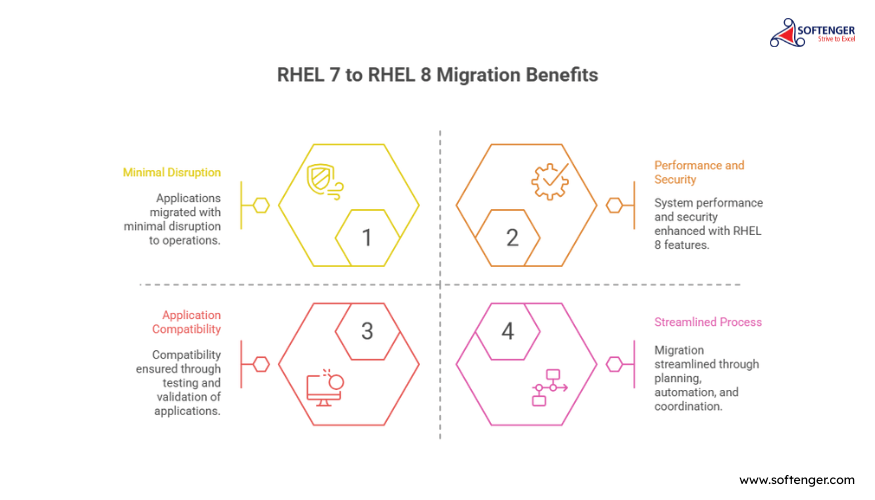
The immediate outcomes were a successful migration with minimal disruption. The lasting outcomes were a more secure, more performant, and more maintainable OS environment — with automation tooling that reduced the cost of every future migration in the estate.
Successful Migration — Minimal Business Disruption
Applications migrated from RHEL 7 to RHEL 8 across the full estate — with the phased approach containing disruption to planned windows and preventing any business-impacting failures during the mission-critical phase.
Enhanced Security via RHEL 8 Features
RHEL 8’s updated security stack — improved SELinux, updated cryptographic policies, and a supported security maintenance cycle — replaced the increasingly exposed RHEL 7 environment with one the client could rely on for the next support lifecycle.
Improved System Performance
RHEL 8’s performance improvements — updated kernel, improved memory management, and optimized I/O subsystems — delivered measurable performance gains across the migrated application estate.
Full Application Compatibility Ensured
Thorough testing and validation confirmed that every migrated application functioned correctly on RHEL 8 — with all application-specific compatibility complexities addressed through targeted remediation before the migration completed.
Key Takeaway
This project demonstrates Softenger’s expertise in managing complex application migrations across operating system versions — ensuring compatibility, security, and performance at every step. Our phased approach and detailed planning effectively addressed the application-side complexities of the RHEL 7 to RHEL 8 transition, demonstrating the ability to handle intricate IT transformations while maintaining operational stability and meeting client needs throughout.
Every engagement follows
the AOTS framework
The RHEL migration followed Softenger’s AOTS model from initial assessment to post-migration support. The Advise phase produced the application compatibility matrix that made every subsequent decision reliable — without it, the phased sequencing in the Optimize phase would have been guesswork. The Transform phase executed the migration in sequenced waves. The Support phase holds the automation script library and validation processes in place for future migration needs.
The AOTS principle most visibly at work here was Optimize: Precision Over Patchwork. A patchwork approach to this migration — fixing compatibility issues ad hoc as they appeared — would have produced inconsistent results and created the exact business disruption the engagement was designed to prevent.
Advise
Comprehensive application assessment. RHEL 8 compatibility matrix built. Application owners engaged. Migration complexity rated per application. Phased migration sequencing planned before any execution.
Full compatibility assessment complete. Application sequencing plan agreed. Stakeholders briefed. Automation approach designed.
Optimize
Migration scripts developed and tested. Compatibility remediation solutions built into the automation library. Non-critical applications migrated in Phase 1 — patterns documented and incorporated before Phase 2.
Automation scripts deployed. Phase 1 (non-critical) migration complete. Compatibility pattern library built from real issues encountered.
Transform
Mission-critical application migration executed using the proven approach from Phase 1. Full testing and validation per application. Application owner sign-off at each wave. Estate fully migrated to RHEL 8.
Full application estate migrated to RHEL 8. All compatibility issues resolved. Minimal business disruption achieved throughout.
Support
Automation scripts documented and handed over for ongoing use. Validation process available for future application onboarding. RHEL 8 environment stable, monitored, and fully documented for operations teams.
RHEL 8 environment operational and stable. Automation library available for future migrations. Full documentation delivered to client teams.
The AOTS model is applied to every Softenger engagement
From OS migrations and DR orchestration implementations to network change management, IT automation, and security operations — Advise, Optimize, Transform, Support structures every engagement Softenger delivers.
Questions about RHEL OS migration programs
 Change Management
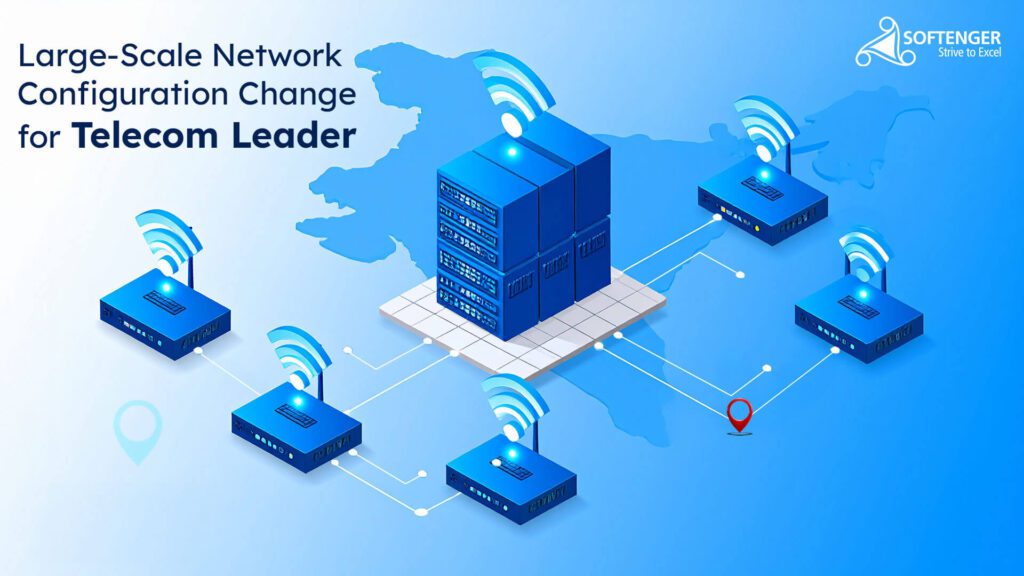
Large-Scale Network Configuration Change
Shell scripting automation used to reconfigure 2,000–3,000 Cisco routers across 100 physical sites PAN India — standardized templates, batch processing, and real-time monitoring.
 IT Infrastructure
Streamlined Virtual Infrastructure
280+ VMware ESXi physical servers upgraded to a consistent version and aligned to vCenter 6.7 VCSA — version fragmentation eliminated, inventory integrity restored.
 IT Automation
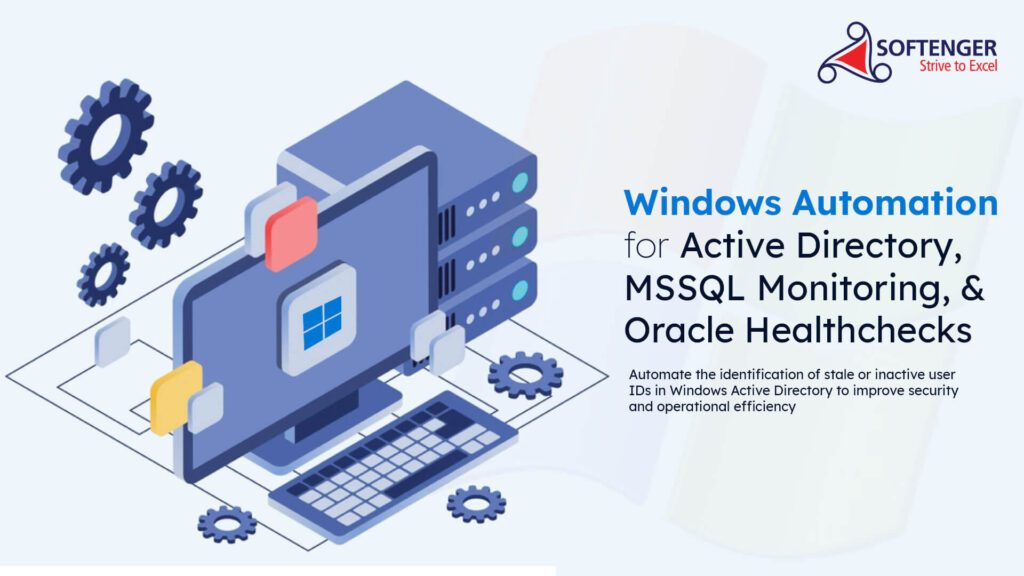
Windows Automation — AD, MSSQL & Oracle
Three-module automation program for a banking client — Active Directory stale ID cleanup, MSSQL Server real-time monitoring, and Oracle database daily healthchecks.
Tell us what you’re
migrating — and what’s at stake.
Whether it’s a RHEL version migration, a Windows Server upgrade, a data center OS standardization program, or any other infrastructure transition where getting it wrong means business disruption — Softenger has the assessment, automation, and phased execution methodology to do it right. A conversation with one of our infrastructure specialists starts with your current environment, not a generic proposal.
🖥️ Discuss an OS Migration Project
ISO 27001 certified. Your information is handled securely and never shared.